Block Ads at the DNS Level: One Setting, Every App
Quick answer
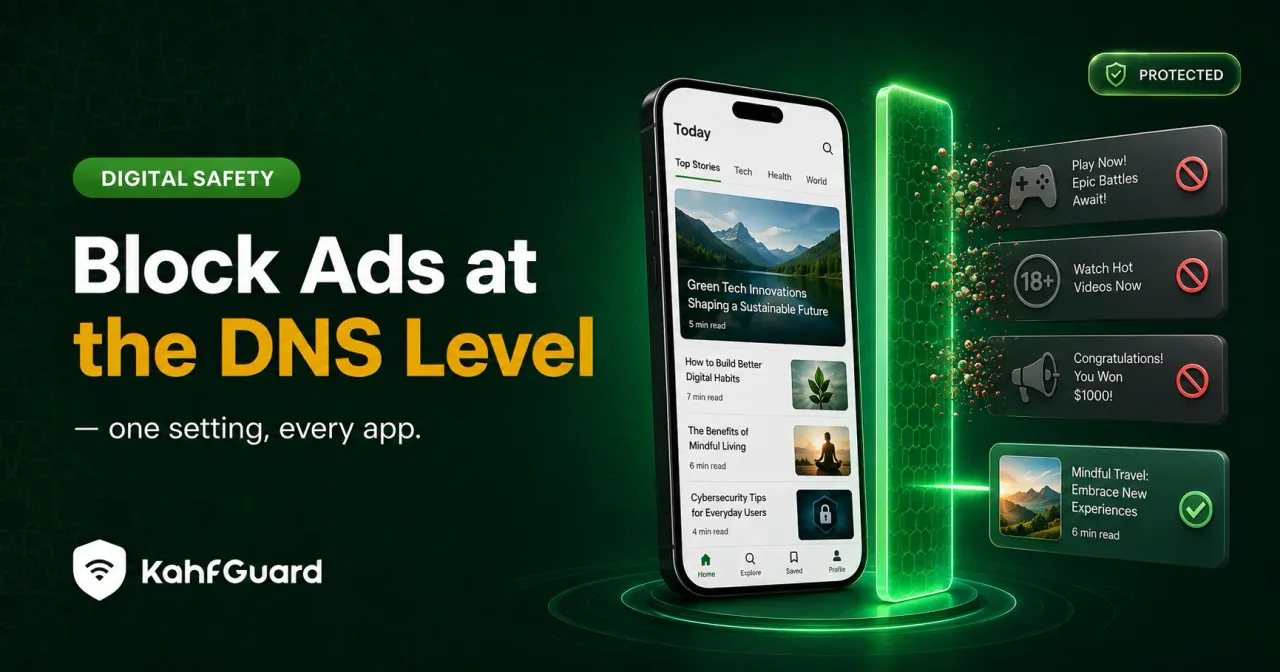
DNS ad-blocking refuses to resolve known ad and tracker domains, so those ads never load — across every app and browser at once, not just the one where you installed an extension. It can't remove ads served from the same domain as the content (like YouTube's in-stream ads), but it clears most banners, pop-ups, and trackers everywhere else.
How blocking ads at the DNS level works
Short answer
Ads and trackers usually load from their own separate domains. When your device asks for one of those addresses, a filtering DNS simply refuses to answer, so the ad has nowhere to load from. The page or app still works; the ad slot just comes back empty.
It’s the same mechanism as any DNS filtering, pointed at ad and tracker categories instead of adult or malicious ones. Because the refusal happens at the lookup, before anything loads, pages often feel faster — the device stops fetching the heavy ad and tracking scripts entirely. For the full picture of how DNS filtering works, see DNS protection explained.
DNS ad-blocking vs a browser ad blocker
| Approach | Covers every app | Blocks in-app ads | Element-level hiding |
|---|---|---|---|
| Browser extension | ✕ one browser | ✕ | ✓ |
| Manual DNS list | ✓ | ✓ | ✕ |
| Kahf Guard DNS filtering | ✓ | ✓ | ~ domain-level |
A browser blocker can hide individual page elements a DNS filter can’t touch — but only inside that browser. DNS blocking trades element-level control for reach: it works in every app, including the in-app browsers where a lot of mobile ads actually appear. For a deeper comparison of how DNS filters differ from app-level controls, see our guide on the family DNS filter.
What DNS ad-blocking can and can’t do
Being straight about this matters, because it’s the difference between a tool that works as promised and one that disappoints. Here’s the honest split:
What it blocks
- Banner and display ads that load from separate ad domains
- Pop-up and pop-under ads across apps
- Third-party trackers and analytics domains
- Ads inside in-app browsers, not just standalone ones
What it can't
- Ads served from the same domain as the content — YouTube's in-stream ads are the classic example
- Sponsored posts baked into a social feed
- Element-level cosmetic hiding inside a single browser
Why “one setting, every app” matters
On a phone, most ads aren’t in a browser at all. They’re inside free apps, inside in-app browsers, and inside pop-ups that appear regardless of which browser you use. A browser extension never sees any of that. Filtering at the DNS level does, because every one of those requests still passes through the same lookup. Switch it on once and the whole device is covered, including devices you add for the family.
Turn on DNS ad-blocking with Kahf Guard
- Install Kahf Guard.
Download it from the Google Play Store or App Store.
- Turn on Safe Internet Protection.
Switch it on and choose Strong or Moderate. Ad and tracker domains are filtered alongside adult and malicious ones, across every app.
- Lock it and add devices.
Enable uninstall and DNS-change protection, then add any other devices you want covered from the same account.
Common questions
Can DNS block ads?
Yes. DNS ad-blocking refuses to resolve known ad and tracker domains, so those ads don't load, across every app rather than one browser. It handles most banners, pop-ups, and trackers.
Does DNS ad-blocking work on YouTube?
Mostly not for YouTube's in-stream ads, because they're served from the same domain as the videos and blocking that would break playback. It does cut ads and trackers across your other apps.
Is DNS ad-blocking better than a browser ad blocker?
For coverage, yes — a browser extension only covers one browser, while DNS blocking covers every app and in-app ads. A browser blocker can do element-level hiding a DNS filter can't, so the two solve slightly different problems.
Does blocking ads at the DNS level slow things down?
No — it usually speeds pages up, because the device stops fetching heavy ad and tracker scripts. DNS filtering only handles the lookup, not your traffic.
What's the best DNS to block ads?
A filtering DNS that blocks ad and tracker categories. Kahf Guard's Safe Internet Protection does this alongside adult and malware filtering, in one setting.
Can I block ads on all my apps for free?
Yes. Kahf Guard's DNS-level filtering is free and covers the whole device. Core filtering, safe search, and ad filtering are free forever; Premium adds parental controls and focus tools.
Cut the ads across every app
Block ad and tracker domains at the DNS level in one setting — free, no VPN, whole device.
Get Kahf Guard free