How to Auto-Silent Your Phone During Prayer Times with Kahf Guard
Set your phone to automatically mute for every salah with Kahf Guard. Step-by-step Android guide with permissions, calculation method setup, and video tutorial.
A phone ringing during sujood pulls you out of the moment and disturbs the row. Many of us want to silence it before the takbeer, then forget. Kahf Guard eliminates that step entirely: its Prayer Time Auto-Silent feature mutes your device for each salah automatically. Here’s how to enable it on Android and tune it to your own congregation’s schedule.
What You'll Need
- An Android phone or tablet
- Kahf Guard App installed
- About 3 minutes
Why Auto-Silent Beats Remembering
- Your focus stays intact. No ring, no vibration, no screen glance pulls you away from salah.
- No disturbance in jama’ah. Your phone stays silent through the entire congregation without touching it.
- It runs every day on its own. Set the five windows once; the app handles each salah from there.
- You’re still reachable. Kahf Guard isn’t full Do Not Disturb — it uses vibrate mode, so genuine emergency calls still ring through.
Step 1: Open Prayer Silence
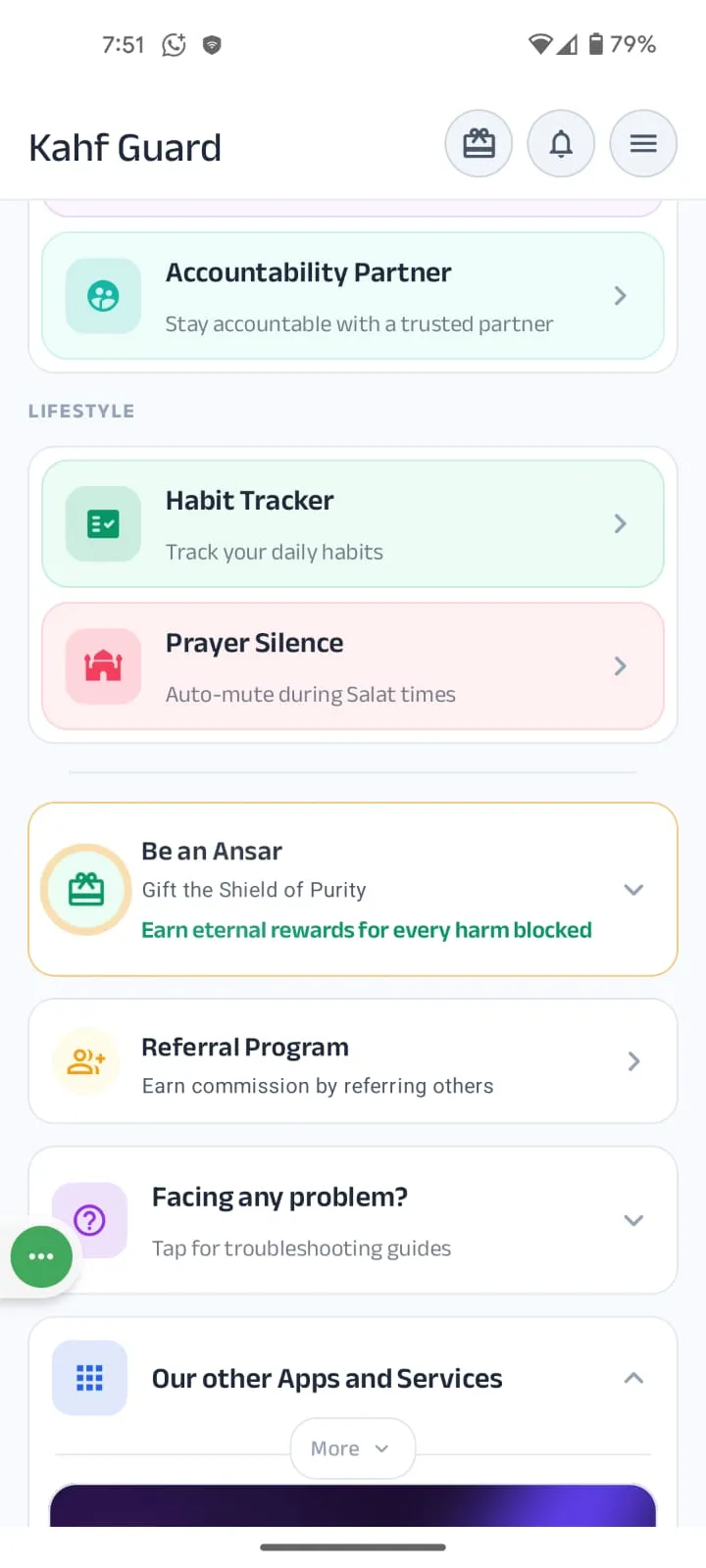
Open Kahf Guard and tap Prayer Silence on the main dashboard. You’ll land on a screen with individual cards for each of the five daily prayers — Fajr, Dhuhr, Asr, Maghrib, and Isha — each with its own toggle and its own silence window.
Step 2: Grant the Two Required Permissions
Toggle on any prayer. First time, Kahf Guard asks for two permissions so the feature can run reliably in the background.
- Battery optimization exclusion — prevents Android from putting the app to sleep, so no prayer window is missed.
- Notifications — lets the app confirm when silence windows start and end.
Step 3: Match Your Location & Calculation Method
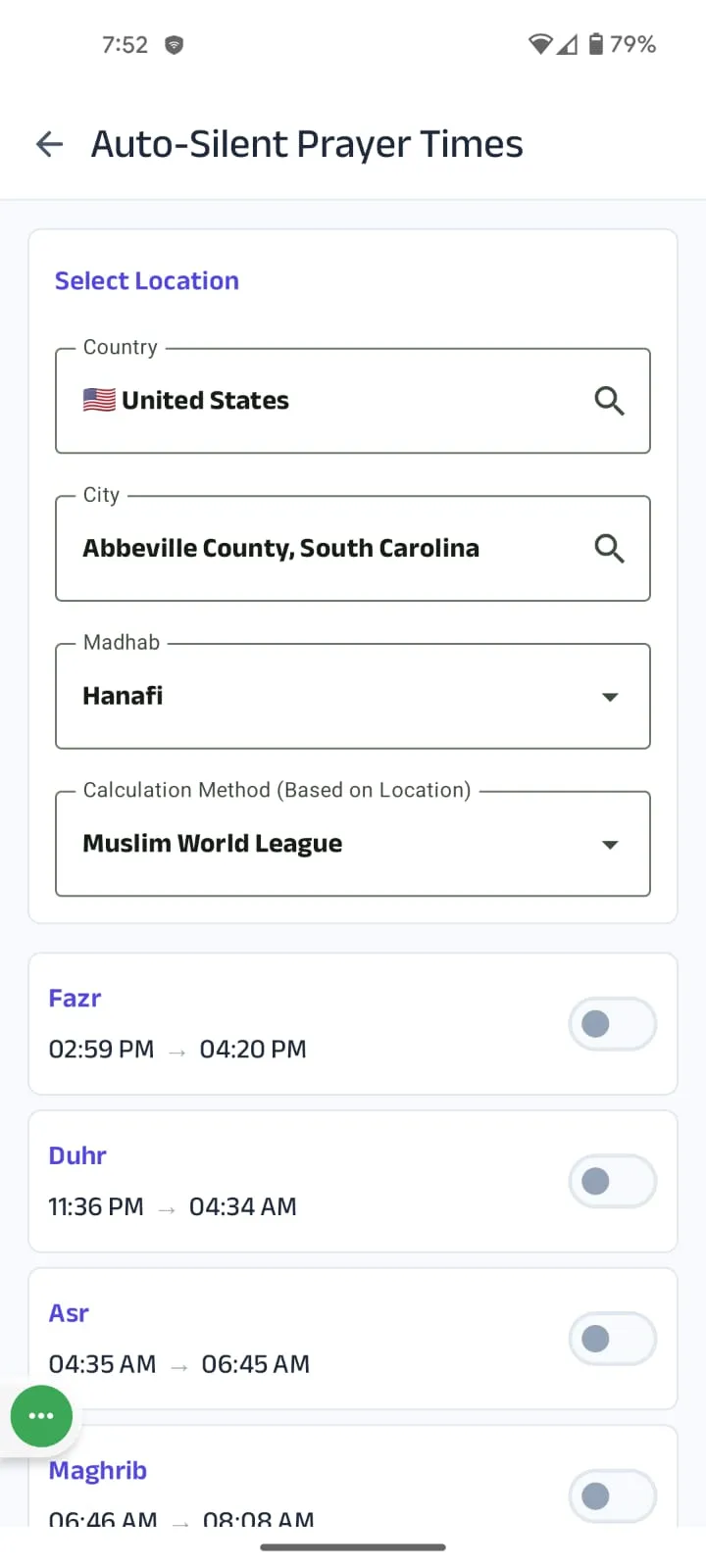
Tap the Settings icon at the top of the Prayer Silence screen. Three settings align your windows with your mosque’s actual timetable:
- Country & City — sets prayer times based on your current location.
- Madhab — Hanafi or Standard; this shifts the Asr start time to match your school.
- Calculation Method — Muslim World League, ISNA, Umm Al-Qura, Karachi, and 11 more. Choose the one your local mosque follows.
Once these match your jama’ah, the silence windows fall exactly on your real prayer times.
Step 4: Fine-Tune Each Silence Window
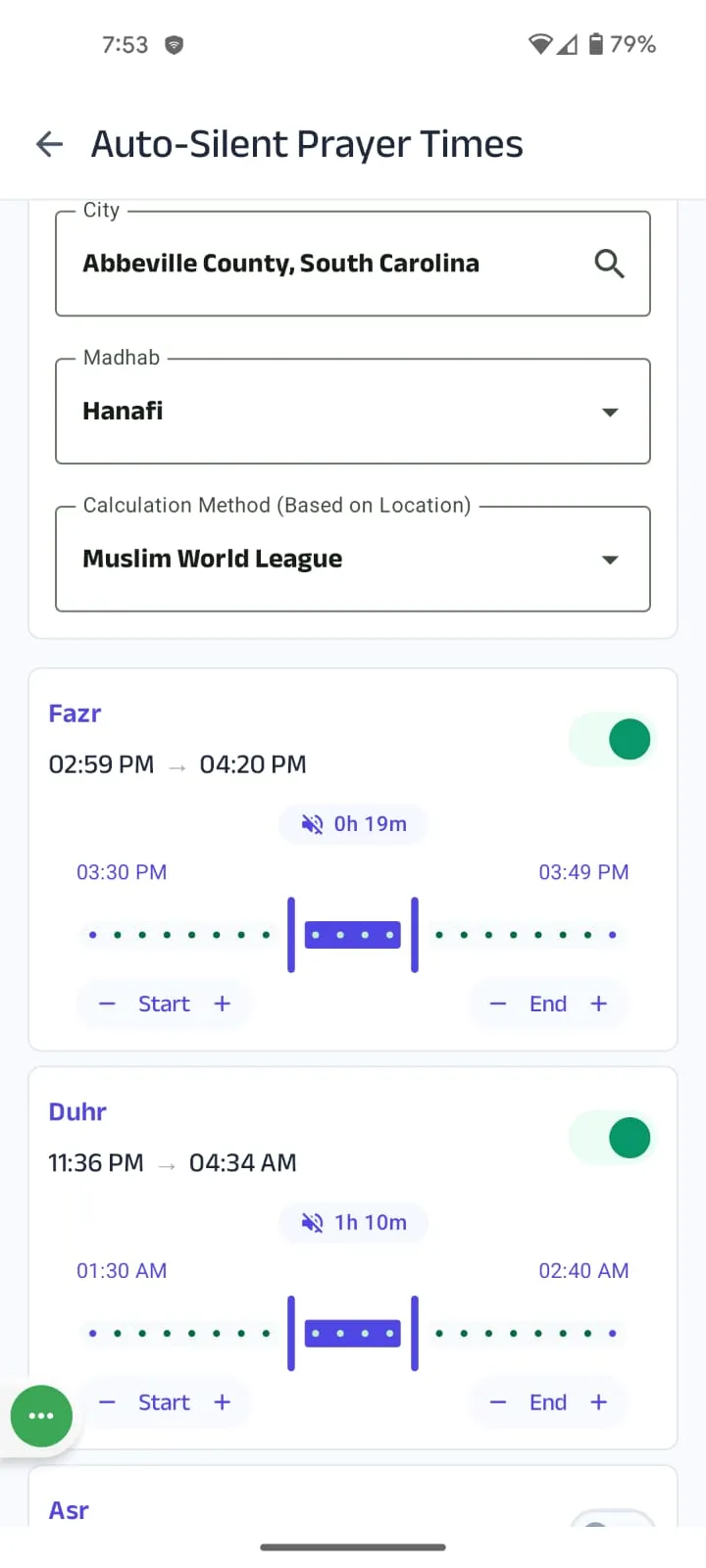
Inside each prayer’s full time range there’s a draggable window — and you control the exact minutes. Say Fajr runs from 4:18 AM to 5:35 AM but your jama’ah is at 5:00. Drag Start and End so your phone is silent, say, from 4:48 to 5:18 — and not a minute more. Set separate durations for each prayer; outside those minutes your phone behaves normally.
Frequently Asked Questions
Will my phone still ring if I get a call during prayer?
Yes. Auto-Silent isn't full Do Not Disturb — it uses Android's vibrate mode. Ringtones and notification sounds are muted during the silence window, but incoming calls still ring through — intentionally, so you can be reached in genuine emergencies. For complete silence including calls, enable Do Not Disturb for that time yourself.
Can I silence only certain prayers, or set different durations?
Each prayer has its own toggle and its own window. Turn on just Fajr and Maghrib if you like, or silence the phone for 15 minutes around one prayer and 30 minutes around another. Each window is set independently, so the schedule adapts to your routine rather than a rigid rule.
How does the app know my exact prayer times?
It calculates from your country, city, madhab, and chosen calculation method. 15 calculation methods are supported, including Muslim World League, ISNA, Umm Al-Qura (Makkah), and Karachi University of Islamic Sciences. Set them once in the Settings menu and the windows follow your local timetable. Your madhab preference also adjusts the Asr start time.
Does the phone return to normal after prayer?
Automatically. When the silence window ends your phone reverts to its normal sound profile — no manual switching needed. The next window activates for the following prayer.
Is Prayer Time Auto-Silent free?
It's part of Kahf Guard Premium. If a paid plan isn't an option, the Barakah Pass unlocks every Premium feature for completely free — including Auto-Silent — funded by community sponsors.