Stop Explicit Reels and Adult Ads — Without Deleting the App
Quick answer
In-app controls like Instagram's Sensitive Content Control, YouTube Restricted Mode, and TikTok Restricted Mode reduce explicit Reels and Shorts but don't remove them, and they only cover one app each. To actually stop them, block the short-form feed itself with a content filter, and block adult-ad domains at the DNS level so they can't load in any app.
Why explicit content shows up in Reels and Shorts
Short answer
Short-form feeds optimise for whatever keeps you watching, and borderline content performs. The algorithm serves an endless, auto-playing stream you didn't curate — so even with clean follows, a few taps of "interesting" behaviour pulls suggestive material into view. The feed's whole job is to hand you the next thing before you decide you want it.
That’s the core problem the app settings never solve. They filter the edges of a system that’s designed to test your attention, so they lower the odds without closing the door. Below are the real controls, what they do, and where each one stops short.
Reduce explicit Reels on Instagram
- Open Content preferences.
Go to Settings and privacy › Suggested content (or Content preferences).
- Set Sensitive Content Control to "Less".
This lowers how much sensitive material appears in Explore and Reels. It's the strongest native lever Instagram gives you.
- Train the feed.
On any unwanted Reel, tap the menu and choose Not interested, and restrict or unfollow accounts that push it.
YouTube
Filter explicit Shorts on YouTube
- Turn on Restricted Mode.
In the app, go to Settings › General › Restricted Mode and switch it on. On the web it's under your profile menu.
- Sign in to keep it applied.
Restricted Mode holds more reliably on a signed-in account, and on a managed account it stays enforced.
TikTok
Reduce it on TikTok
- Enable Restricted Mode.
Go to Settings and privacy › Content preferences › Restricted Mode and turn it on.
- Use Family Pairing for a teen.
Family Pairing links a parent's account to lock Restricted Mode and screen-time limits.
The pattern across all three
- They reduce, never remove.
Every native control lowers the odds of explicit content. None of them promises none.
- They're one app at a time.
Fix Instagram and YouTube still serves Shorts. Each app is its own separate setup.
- They can't switch off the feed.
The doomscroll surface stays live. You can't keep the messaging and lose the Reels from inside the app.
- Adult ads ignore them entirely.
Ads load through ad networks the app settings don't touch, so explicit promos slip in regardless.
Switch off the feed, not the whole app
Quick answer
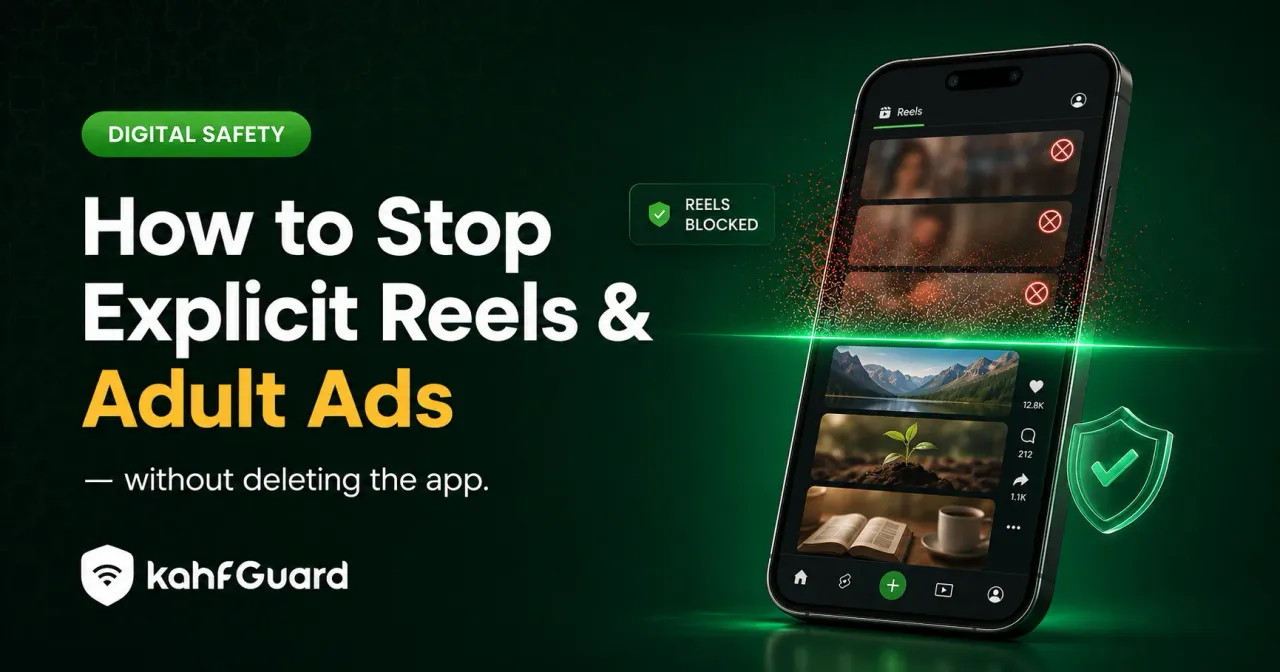
Kahf Guard's Social Media Controls let you turn off the Reels and Shorts feeds while keeping the rest of the app — messages, posts, the parts you actually opened it for. Its DNS-level filtering blocks adult-ad domains across every app at once, and the Harm Blocker catches risky searches before results load.
This flips the approach. Instead of asking each app to behave, you remove the surface where explicit short-form shows up and block the domains the ads come from — one filter, every app, held in place with uninstall and DNS-change protection so it doesn’t quietly get reversed.
- Social Media Controls
Switch off Reels and Shorts, or block a platform entirely, without deleting the app.
- Adult-ad blocking at DNS level
Explicit ad domains don't resolve, so the promos never load — in any app or browser.
- Harm Blocker
Risky searches and keyword patterns get caught before results and suggestions appear.
- Install Kahf Guard.
Download it from the Google Play Store or App Store.
- Open Social Media Controls.
Switch off Reels and Shorts for the apps you want, and turn on Safe Internet Protection for adult-ad and site filtering. Note: feed-switching for Reels and Shorts is available on Android.
- Lock it.
Enable uninstall and DNS-change protection so the settings hold.
For the full picture of source-level filtering that can't be worked around, read the porn blocker that can't be bypassed.
For students: get your focus back
Short answer
If the problem isn't only what's in the feed but how much time the feed takes, the same switch helps: turning off Reels and Shorts removes the slot-machine loop from the apps you still need for messages and group work. Kahf Guard's Focus Mode can also block distracting platforms on a schedule — study hours stay study hours, and you don't have to fight the autoplay every time you open your phone.
Explicit clips are only half the cost of an endless feed. The other half is attention: one video becomes forty, a five-minute break becomes an hour, and it happens on the same apps you need for class groups and messages. Switching the feed off — instead of deleting the app or relying on willpower — keeps the useful parts and removes the loop that eats revision time.
Common questions
How do I stop explicit Reels on Instagram?
Set Sensitive Content Control to "Less" in content preferences and mark unwanted Reels "Not interested." That reduces but doesn't remove them, and Instagram has no switch to turn Reels off. To stop them fully, block the Reels feed with a content filter like Kahf Guard's Social Media Controls.
Can I turn off Reels without deleting Instagram?
Not from inside Instagram. A content filter with Social Media Controls can switch off the Reels feed while keeping messaging and the rest of the app working.
How do I stop adult ads on my phone?
Explicit ads load from specific ad domains. Blocking those at the DNS level stops them across every app at once, which in-app settings can't do because ads bypass those settings.
Does YouTube Restricted Mode block explicit Shorts?
It filters much mature content, including many Shorts, but it's imperfect and can be switched off. Pair it with a locked, device-level filter for reliability.
Why do I still see explicit Reels after turning on sensitive content controls?
Those controls reduce rather than eliminate, and each one covers only its own app. New content and other apps slip through unless you filter at the source across every app.
How do I block Reels and Shorts for my child?
Add their device to a filtering account and switch off the short-form feeds from your own phone, with uninstall protection so the change can't be reversed.
Lose the feed, keep the app
Switch off Reels and Shorts and block adult-ad domains across every app — then lock it.
Get Kahf Guard free